Available In: Docs Made Easy Basic and Pro
Parameter Value: file / notesAttachment / chatterFile / document.
Parameter Requirements: BGM (Background Mode) should not be used with SC parameter.
Parameter Description: The SC (Save a Copy) parameter allows you to automatically pre-select one or more save-location checkboxes on the Composer screen.
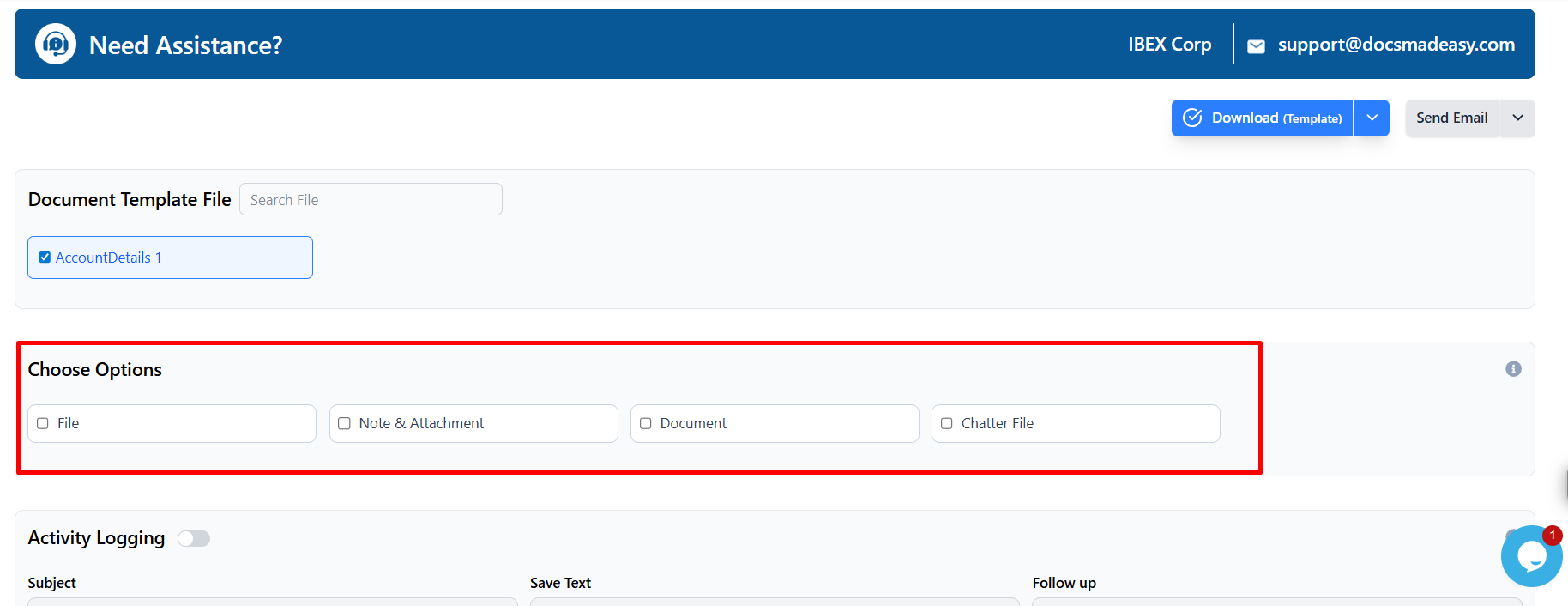
By default, the Composer screen provides four save-location options:
- Files
- Notes & Attachments
- Chatter
- Documents
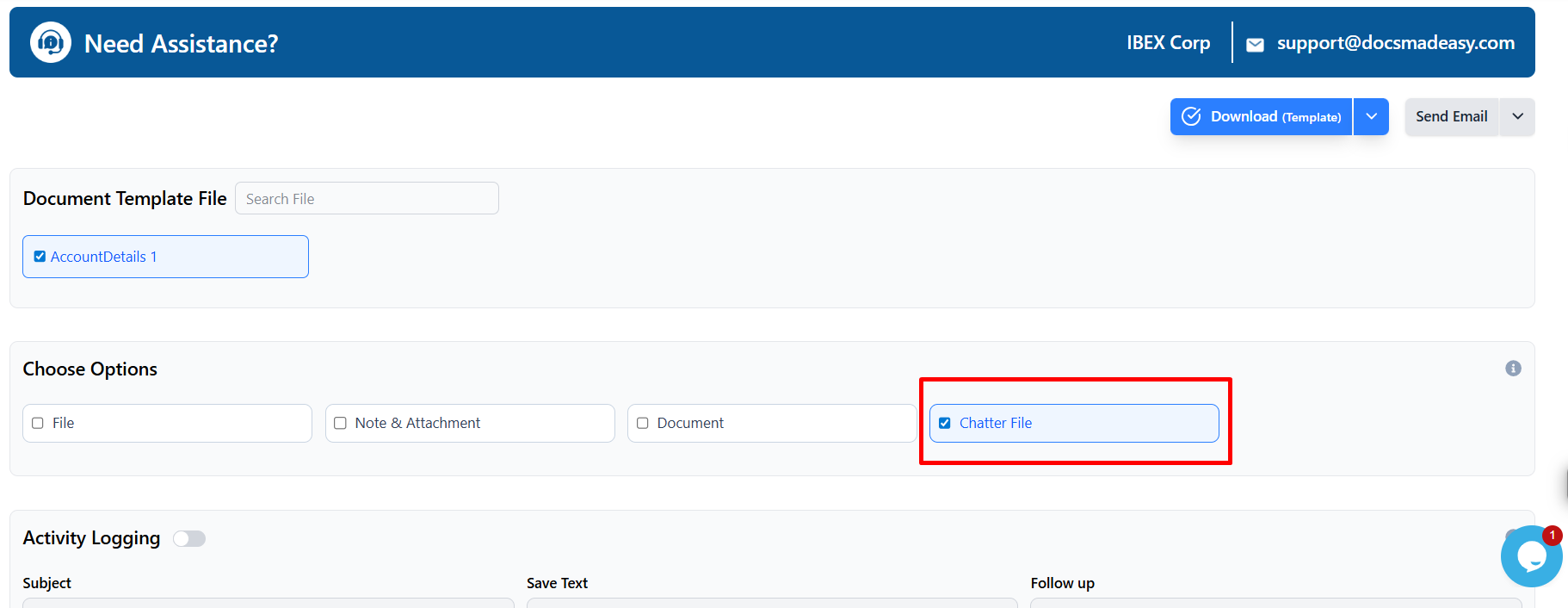
When the SC parameter is used, the specified checkbox(es) are automatically selected when the Composer screen loads. This is useful when users want to control where generated documents are stored without using the BGM parameter.
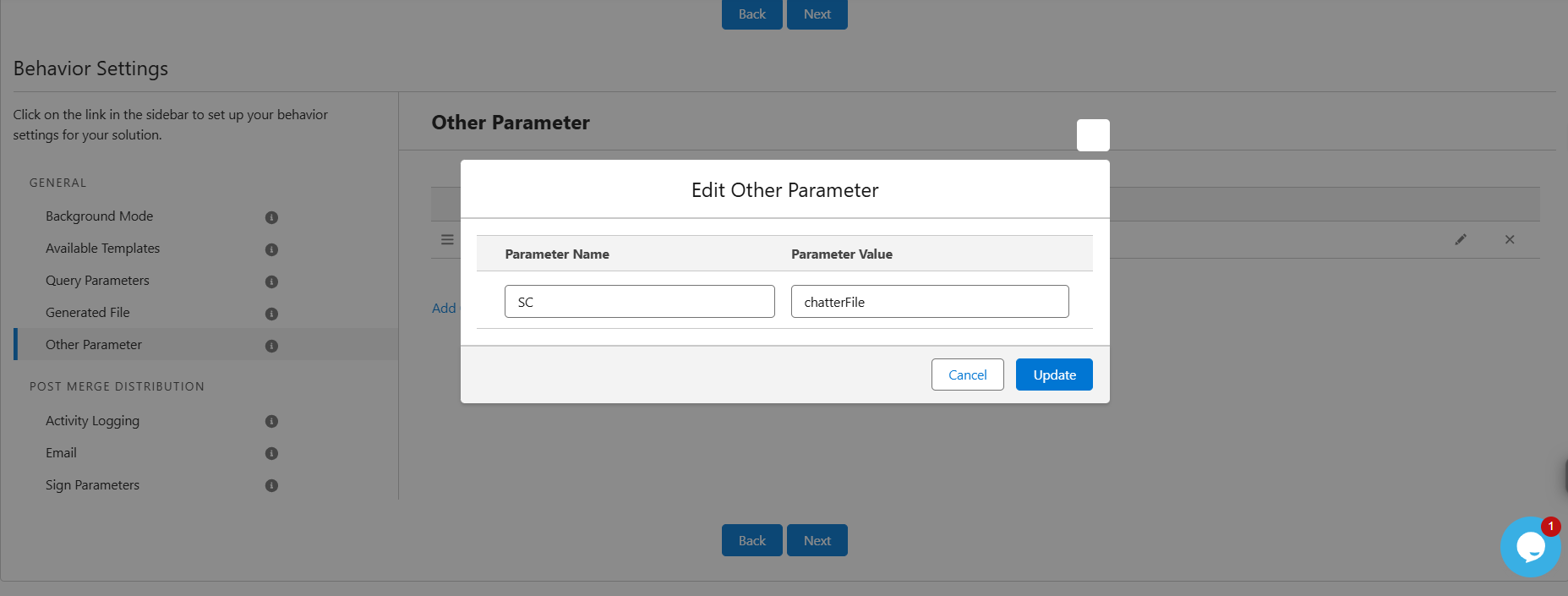
Example -
SC = chatterFile
Output at Composer screen
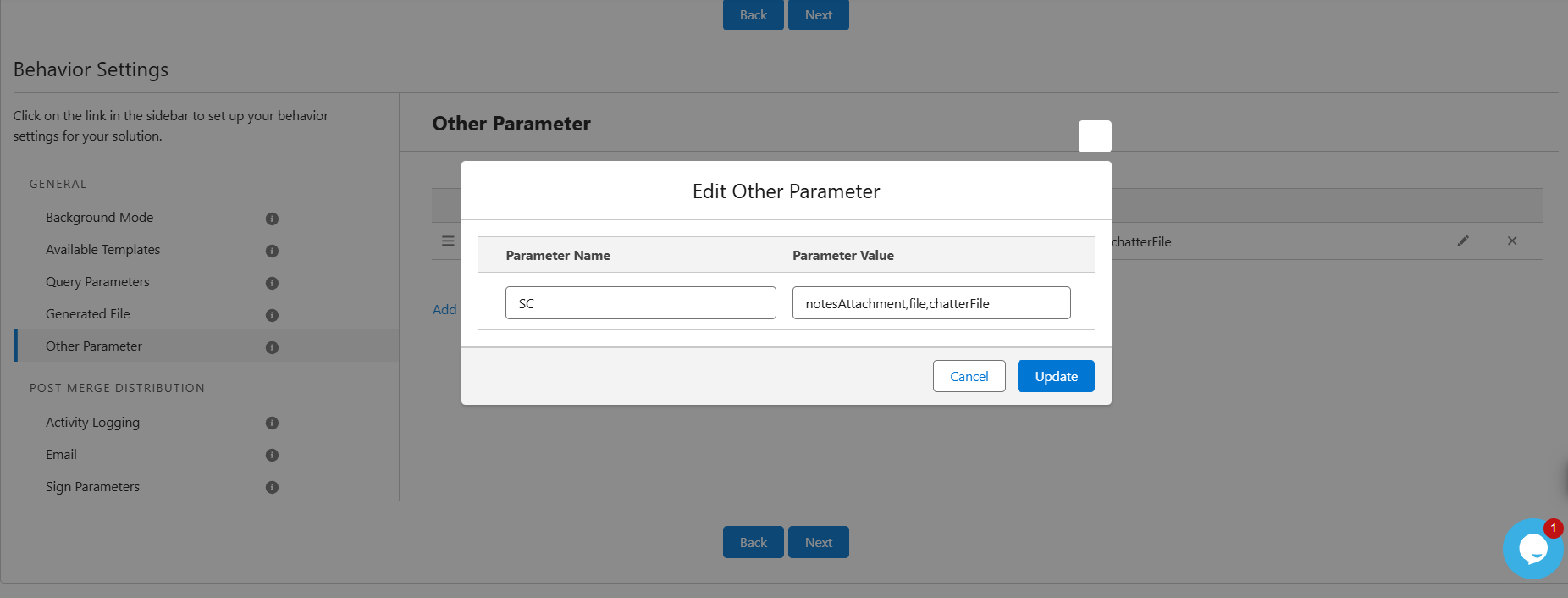
Note:
Multiple values can be passed as a comma-separated list. This allows multiple checkboxes to be pre-selected simultaneously.
Was this article helpful?
That’s Great!
Thank you for your feedback
Sorry! We couldn't be helpful
Thank you for your feedback
Feedback sent
We appreciate your effort and will try to fix the article